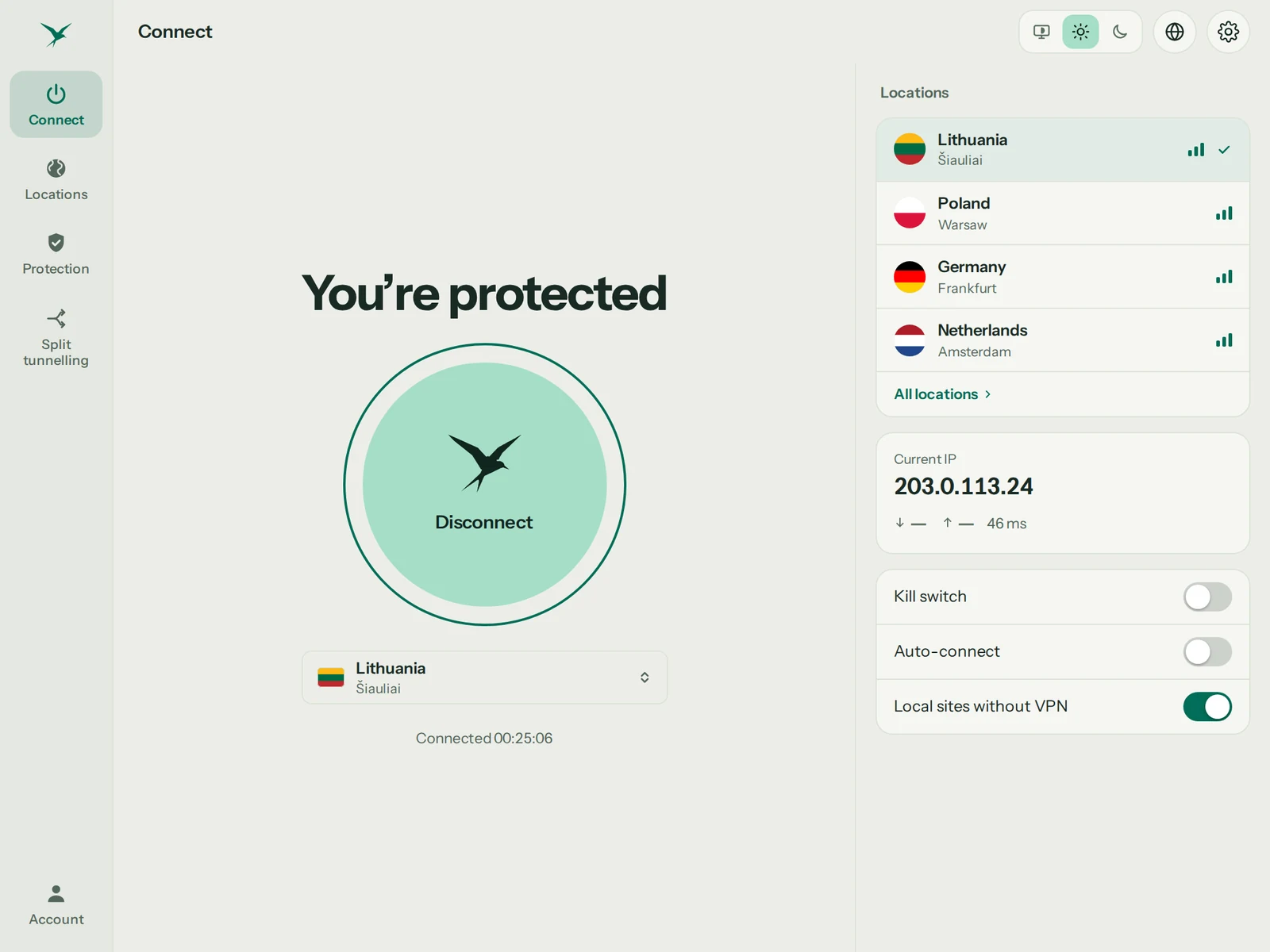
Connect
One click. Every app protected.
Press Connect and every app on your PC goes through Teal VPN. It reconnects by itself when your Wi-Fi changes.
One window, one button. Ubuntu, Debian and their relatives, on Intel, AMD or ARM. Free with 500 MB every day, no ads, no browsing logs.
Connect
Press Connect and every app on your PC goes through Teal VPN. It reconnects by itself when your Wi-Fi changes.
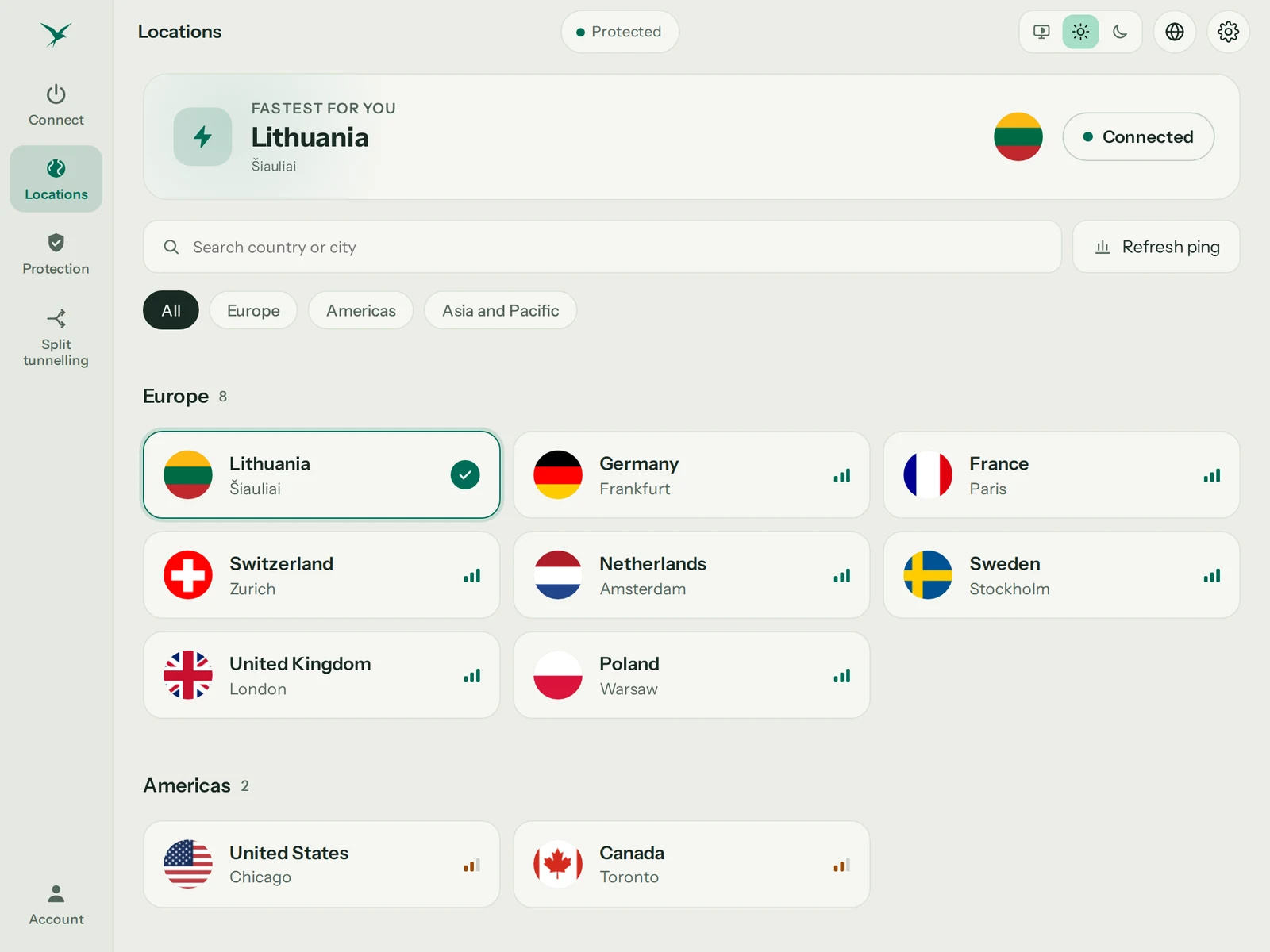
Locations
Teal VPN measures your ping and puts the fastest location first. Teal Free uses Lithuania; Teal Pro opens them all.
See all locations →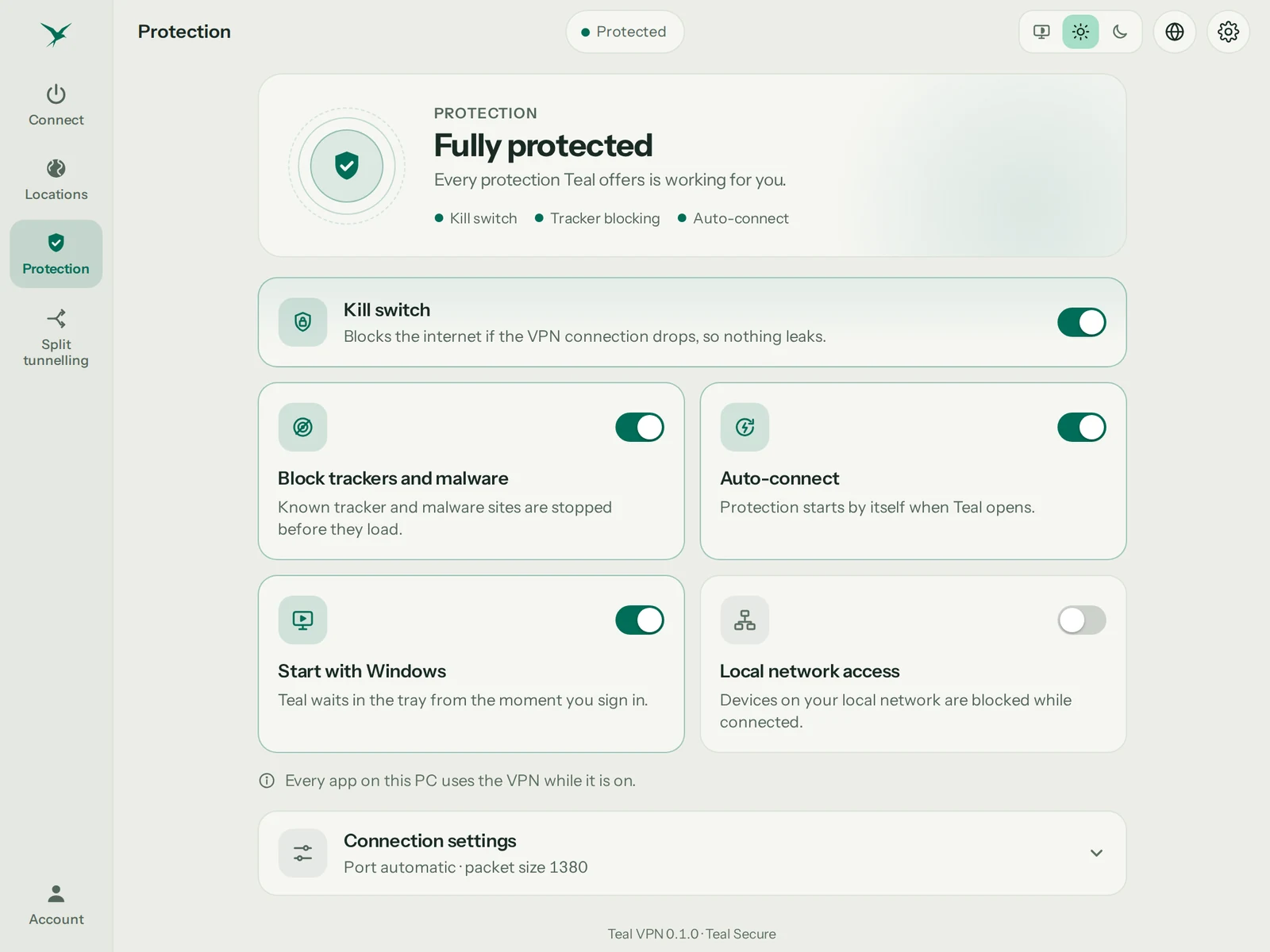
Protection
Stop the internet if the VPN ever drops, block trackers and malware sites, start Teal VPN when you sign in. Each one is a single switch.
Everything between your PC and our server is encrypted. On hotel, café or office Wi-Fi, the network sees only an encrypted stream.

Websites see a Teal VPN server’s address instead of yours. Pick any location in one click.

We count how much data you use, never what you do with it. Your connection address is not stored.
Built for networks that block VPNs. If one route is closed, Teal VPN quietly tries another.
Plans
One account works on every Teal device.
Best value · Save 62%
1 year
$3/month
$36 billed yearly
30-day money-back guarantee
Save 50%
6 months
$4/month
$24 billed every 6 months
30-day money-back guarantee
Flexible
1 month
$7.99/month
Billed monthly, cancel any time
30-day money-back guarantee
Teal Free
500 MB every day, for as long as you like. Lithuania, up to 2 devices, no ads, no browsing logs.
$0forever
Start with Teal FreeOn Linux, Teal Free needs Teal VPN signed in on an Android phone with the same account. Pro works on its own.
Teal Free
On Linux, Teal Free needs Teal VPN signed in on an Android phone with the same account. Pro works on its own.
Teal Pro
From $3 a month, billed yearly (US price; local prices vary)
30-day money-back guarantee. Buy and cancel any time.
Their own pages, read on 18 October 2026. Where they beat us, it says so.
Swipe sideways to see every brand.
| Feature | Teal VPN | Proton VPN | NordVPN | ExpressVPN | Surfshark |
|---|---|---|---|---|---|
| Free plan | 500 MB every day, no ads | 1 device, slower, random countries | None | None | None |
| Works on networks that block VPNs(3) | Built in, on every connection | An extra mode to switch on | An extra mode to switch on | An extra mode to switch on | An extra mode to switch on |
| Same price when it renews(1) | $36 every year | €3.49 a month becomes €6.99 | Intro price for the first term | Intro price for the first term | Intro price for the first term |
| No ads, no selling your data | Never | Never | Never | Never | Never |
| Devices on the paid plan | 10 on the yearly plan | 10 | 10 | 14 | Unlimited |
| Locations | 14 cities, 3 continents | 140+ countries | 225+ locations | 113 countries | 100 countries |
| Owned by(2) | Fxolio LLC, independent | Proton AG | Nord Security | Kape Technologies | Nord Security |
| Get started | Get Teal Pro |
(1) Proton VPN’s pricing page, 18 October 2026: €83.76 for the first 24 months, then €83.88 every 12 months. NordVPN, ExpressVPN and Surfshark advertise a discounted price for the first term; their regular price applies after it. Teal Pro is $36 every year. (2) As published by the companies themselves. (3) Teal VPN takes its routes for networks that block VPNs on every connection, without a setting; the four others offer it as a mode to switch on (Stealth, obfuscated servers, NoBorders), and their apps are blocked in several countries. Found something out of date? Write to support@tealvpn.com.
Every price, renewal and money-back guarantee, 8 VPNs side by side
Getting started
Press Download for Linux. You get a .deb package for Ubuntu, Debian and their relatives (Intel, AMD or ARM).
Double-click the file, or run: sudo apt install ./teal-vpn_*.deb. Teal starts its service by itself; no reboot.
Open Teal VPN from your app menu, sign in with Google, Apple or email, then press Connect. Your plan is already there.
Three commands, then Teal VPN updates with everything else.
curl -fsSL https://download.tealvpn.com/apt/teal-vpn.gpg | sudo tee /usr/share/keyrings/teal-vpn.gpg >/dev/null
echo "deb [signed-by=/usr/share/keyrings/teal-vpn.gpg] https://download.tealvpn.com/apt stable main" | sudo tee /etc/apt/sources.list.d/teal-vpn.list
sudo apt update && sudo apt install teal-vpnUbuntu 22.04 or newer, Debian 12 or newer, and systems built on them (Linux Mint, Pop!_OS, Zorin, elementary). Fedora, Arch and others: coming later.
Raspberry Pi 4 and 5 (64-bit), ARM laptops and ARM servers get the ARM package. You can also choose it below the download button.
Teal updates itself. When a new version is ready, it installs while you are not connected.
sudo apt remove teal-vpn. Add --purge to remove your sign-in and settings too. Nothing else stays behind.
Questions
Yes. Teal for Linux is a real desktop app with a window, the same screens as on Windows and Mac. It installs as a .deb on Ubuntu 22.04 or newer, Debian 12 or newer and their relatives, on Intel, AMD and ARM PCs.
Yes. Teal Free comes with every account: 500 MB of data every day, the Lithuania location, and up to 2 devices, with no payment details. On a PC, Teal Free needs the Teal app signed in on your phone first.
Yes. Linux Mint is built on Ubuntu, so the same .deb installs on Mint 21 and 22: double-click it or run sudo apt install ./teal-vpn_*.deb. Teal Free gives 500 MB a day on the Lithuania location; on a PC it needs Teal VPN signed in on an Android phone with the same account.
Yes. Add our signed repository once, then apt installs and updates Teal VPN like any other package. The three commands are on this page under Install with apt.
The package comes from our own download host, and the app checks every update against a signature before it installs it. The source of the open-source parts is listed on the Licenses page inside the app.
Yes. Your plan belongs to your account. Sign in with the same account on Android, Android TV, Chromebook, Windows, Mac and Linux. Teal VPN for iPhone and iPad is in testing and not on the App Store yet.
Start free with 500 MB every day. On Linux, Teal Free needs Teal VPN signed in on an Android phone with the same account. Pro works on its own.